
How to Search for Company Data in Cyprus
Learn how to search for company data in Cyprus through the official Department of Registrar of Companies portal. Access directors, shareholders, and financial filings for just €10.00 per company.

The Cyprus D.R.C. ( Department of Registrar of Companies ) is the primary official government body to check for data about registered businesses in Cyprus.
If you need to search for an actual company in Cyprus, with the option to have access to more detailed data like the directors, shareholders or even more - we'll show you how to use their service to find the data you need.
What is the Cyprus D.R.C.?
The D.R.C. is offering a portal, where you can find every registered business in Cyprus. From that portal, you can easily view the basic information like the company name, status and registration number. If you want to get more data from a company - like the directors, shareholders or even the audits you will need to pay a small fee of 10.00 EUR per company.
[!TIP] Each company data file costs 10.00 EUR. Don't pay 50.00 EUR for a third-party service for the same data that is already available directly from the government for just 10.00 EUR.
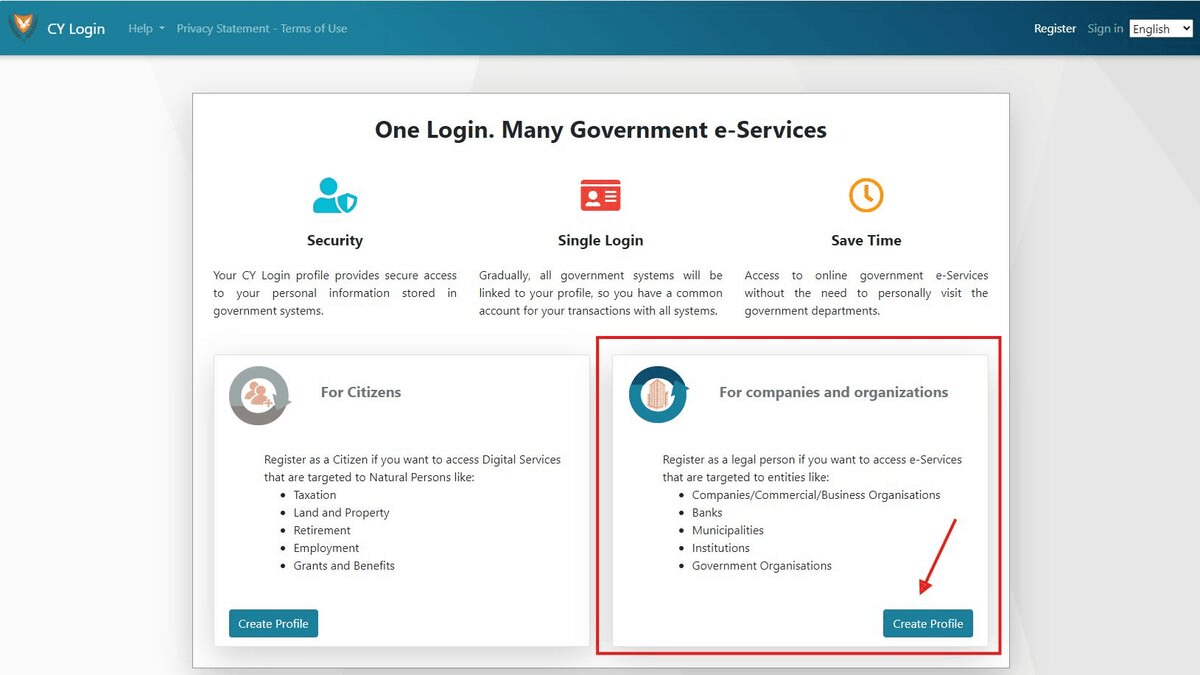
Register for Government e-Services
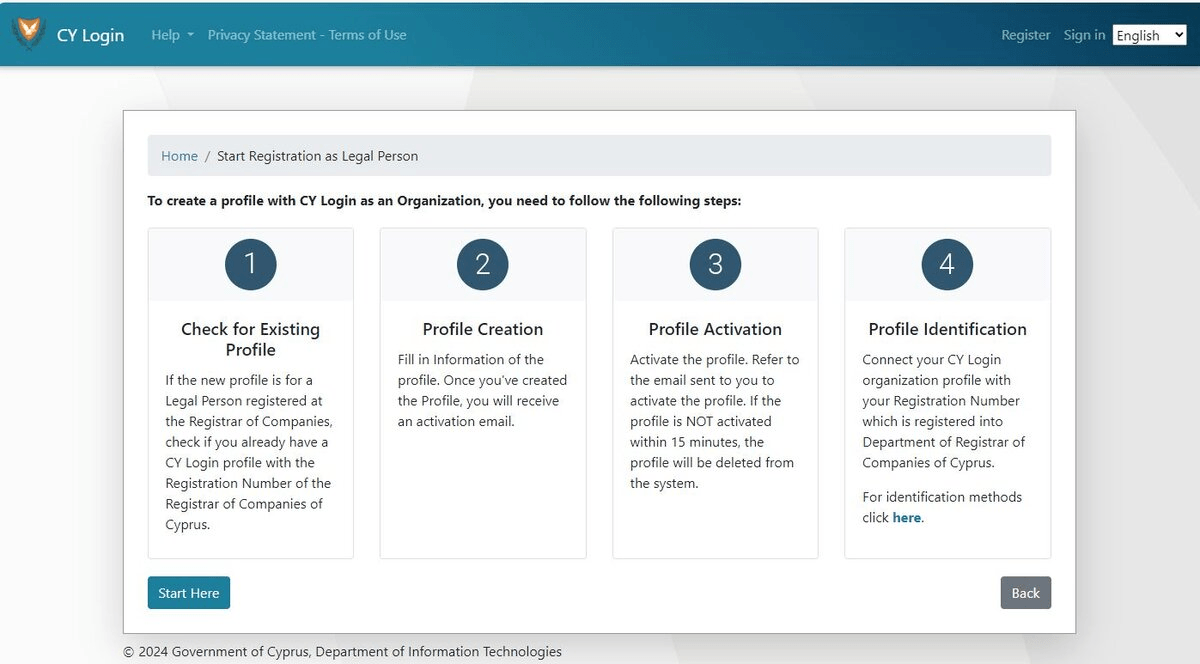
Before we start searching for the data, we need to register for the e-Services portal from the Government first. This gives you access to deeper insights like previous audits.
[!NOTE] You will need to create a Company profile and login for the Cyprus Government services.
If you don't have a company profile on the Government's portal, please register here.
How to perform a basic company search
We'll show you how to search for basic company data. If you would like to access the "Study File" ( detailed data ), login and repeat the 2nd step of the search.
Step 1: Visit the D.R.C. company portal
Go to the e-search platform of the D.R.C. at efiling.drcor.mcit.gov.cy.
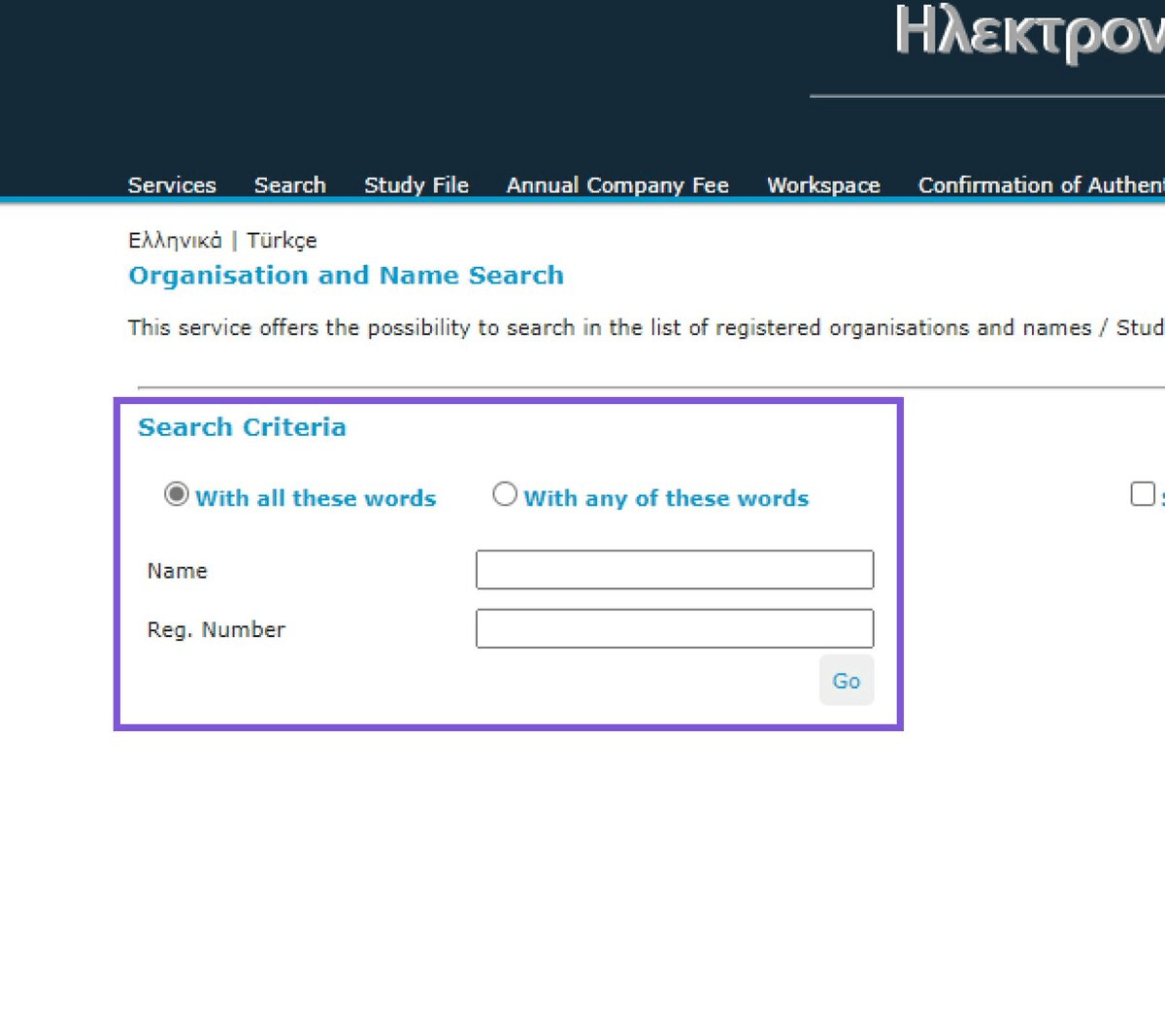
Step 2: Enter the company name to search for a company
Once you're on the e-search page, simply enter the company name and click "Go".
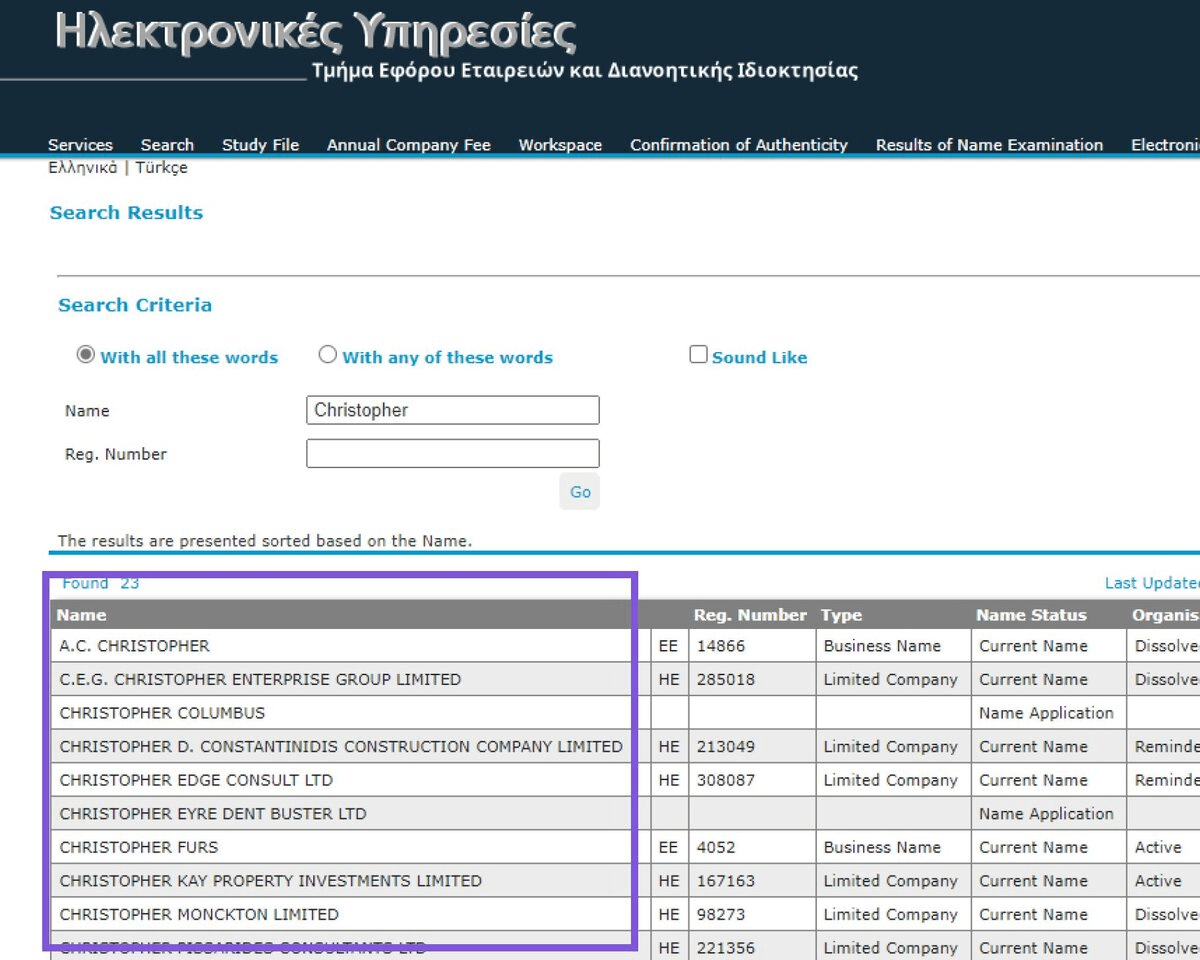
Step 3: Select the company
If your search returned multiple results, select the company you want to view.
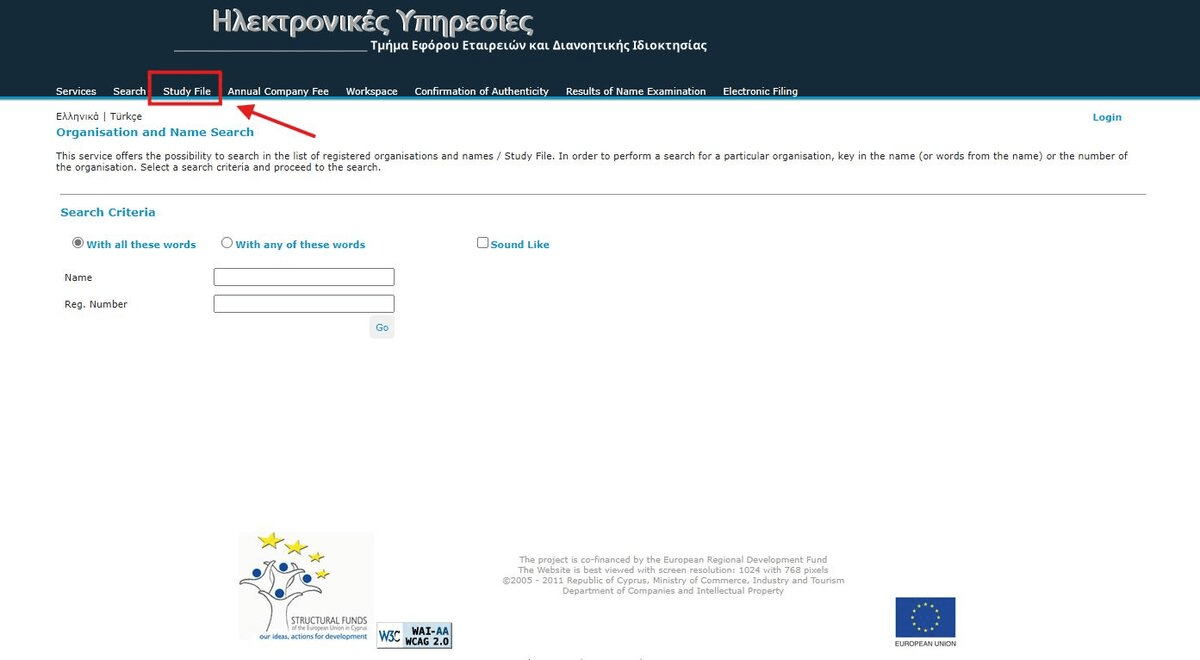
Step 4: Access the "Study File"
To actually get the data of the company, click on the Study File icon. If you don't see that option, click the "more" dropdown.
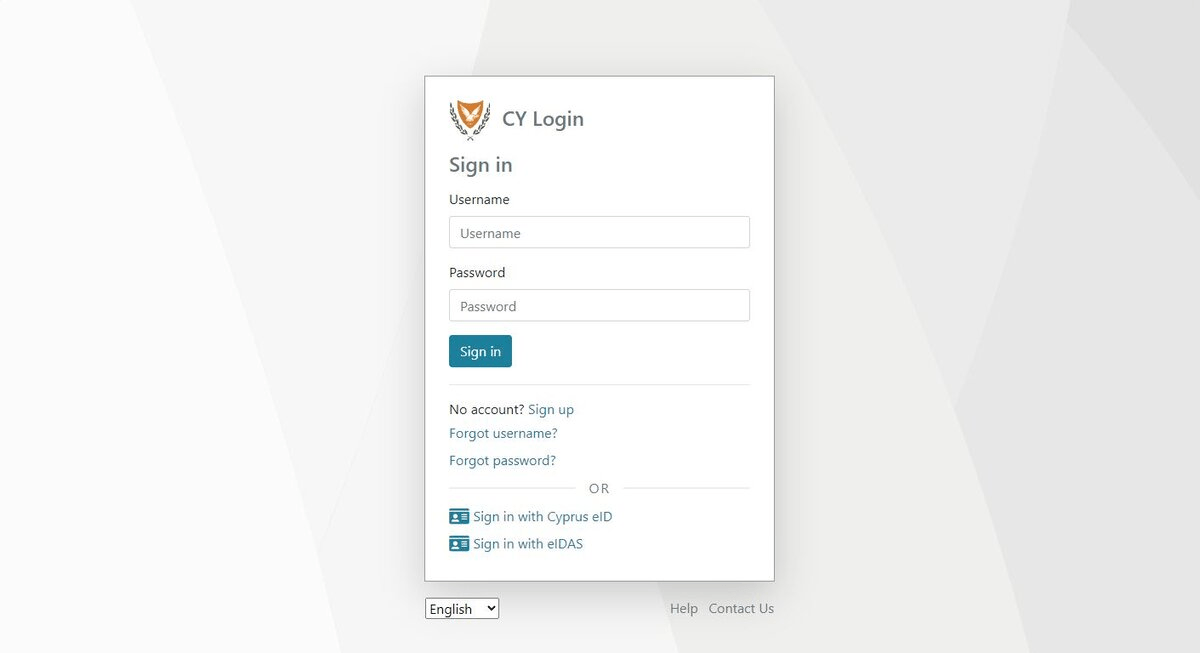
Step 5: Login to your account
Login with your e-Services account.
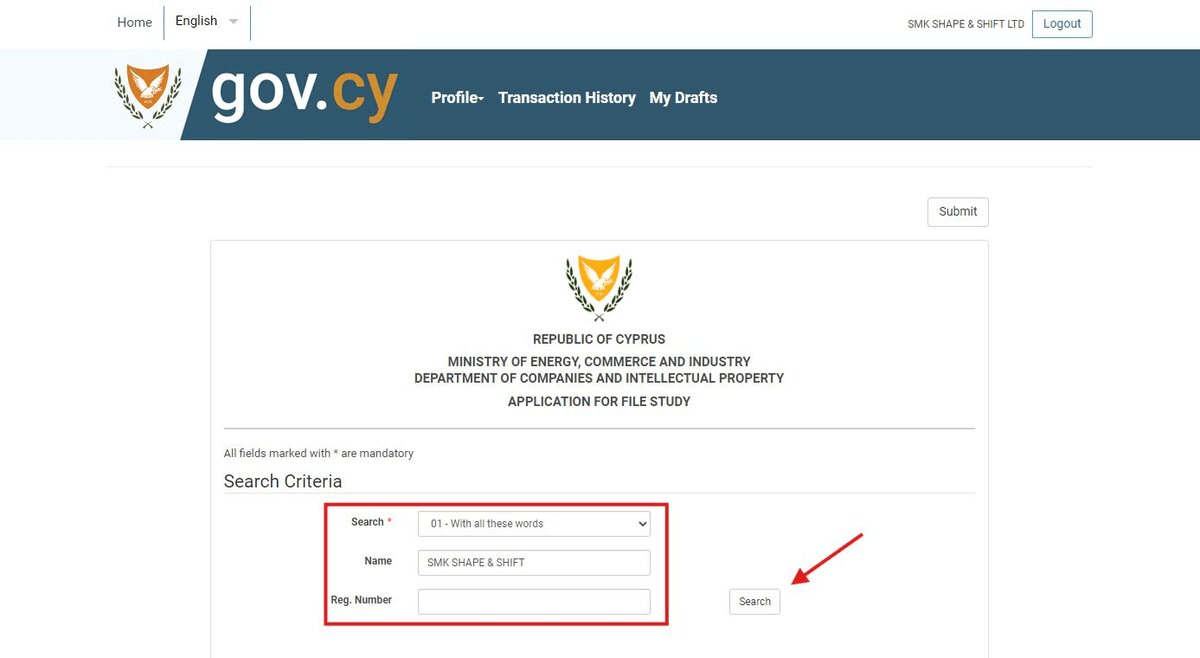
Step 6: Search for the company again
After you logged in, you need to search for the company again. Enter the company name and click "Go".
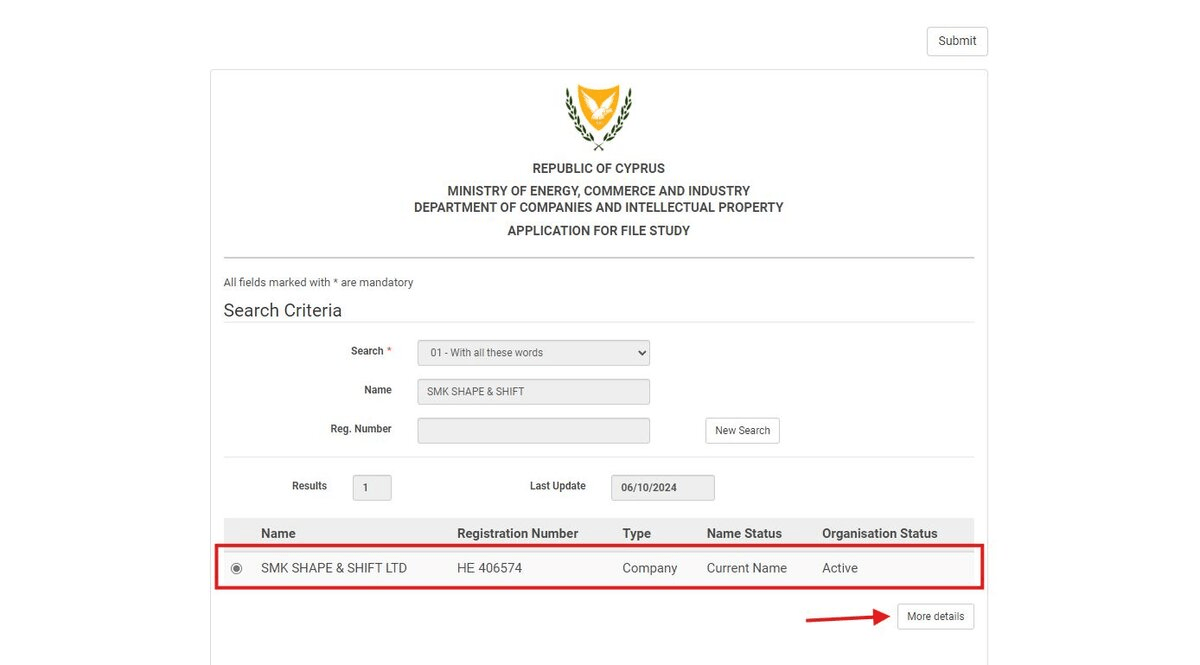
Step 7: View company details
Click on More Details from the search results.
Step 8: Confirm the study file request
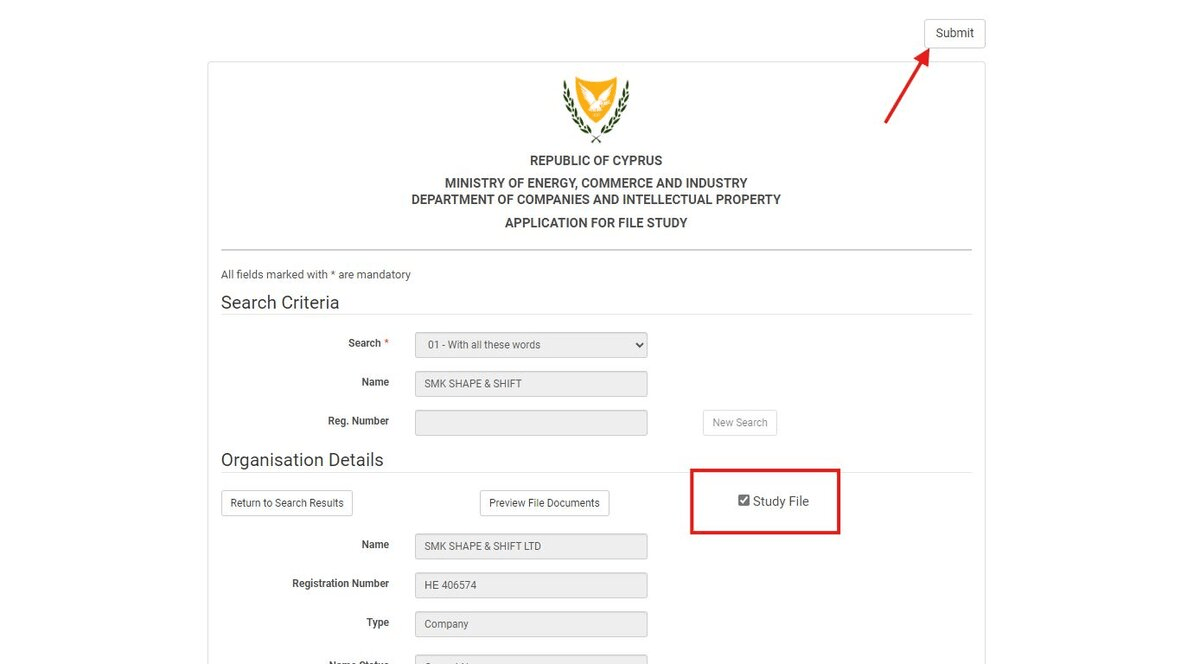
Check the Study File checkbox and click Submit.
Step 9: Access your basket
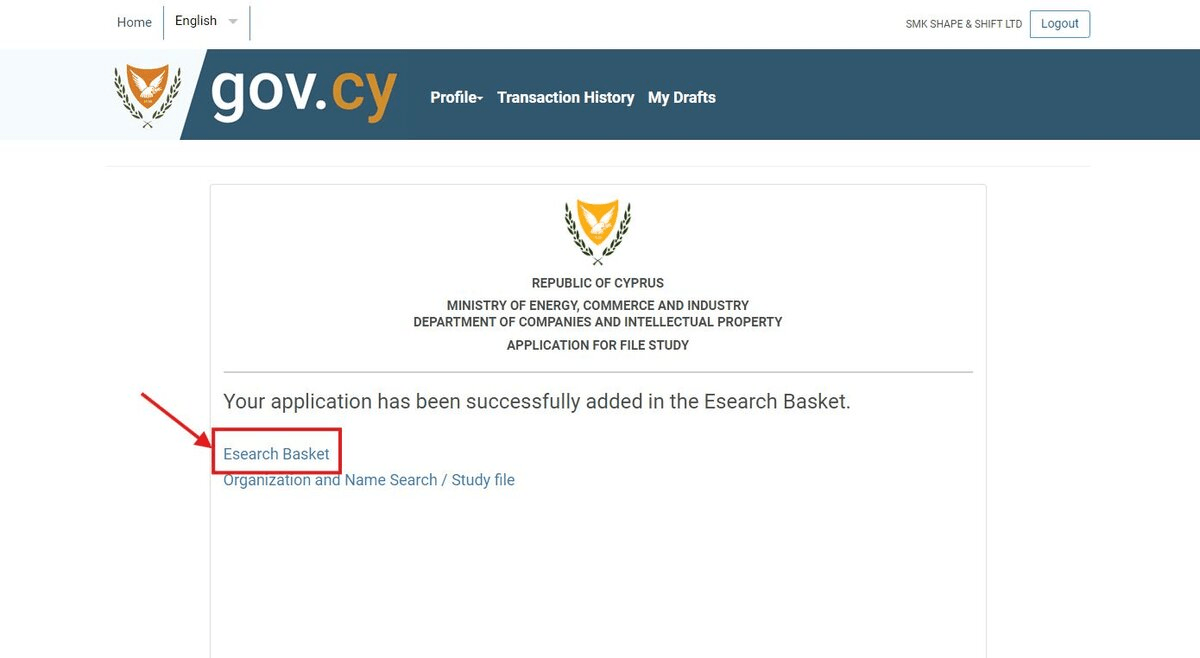
Click the Esearch Basket link.
[!TIP] It takes a few seconds or a minute until you see something within the basket. Hit the Refresh button if you don't see a result.
Step 10: Pay for the data
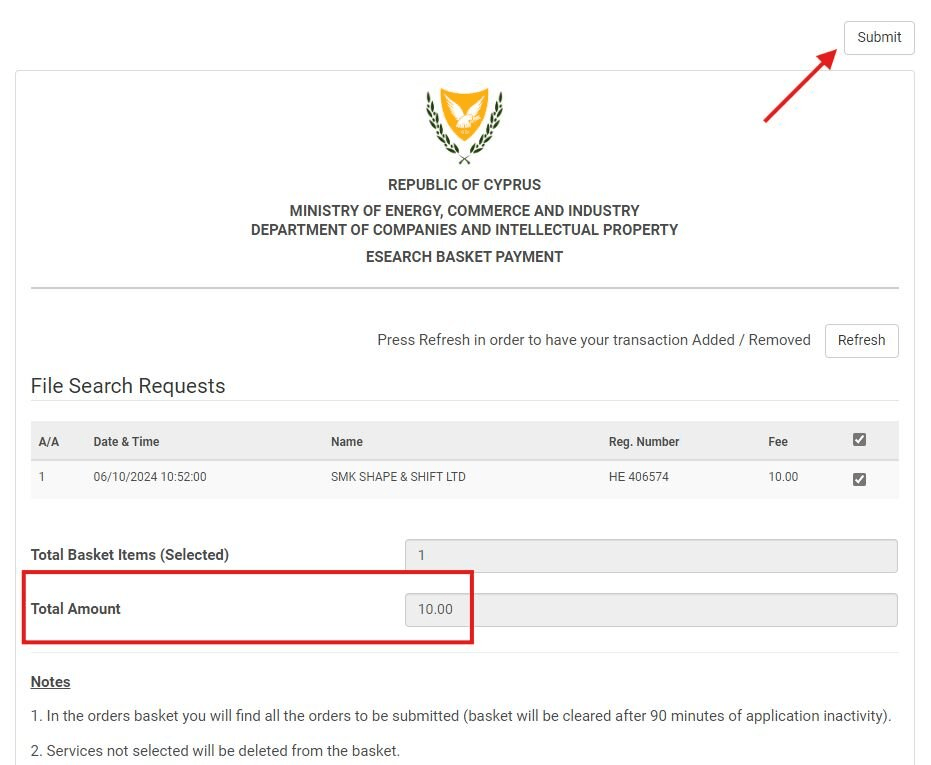
Enter your payment information to pay for the data. Remember, you need to pay 10.00 EUR for each company you want to have the data for.
Step 11: Access the files
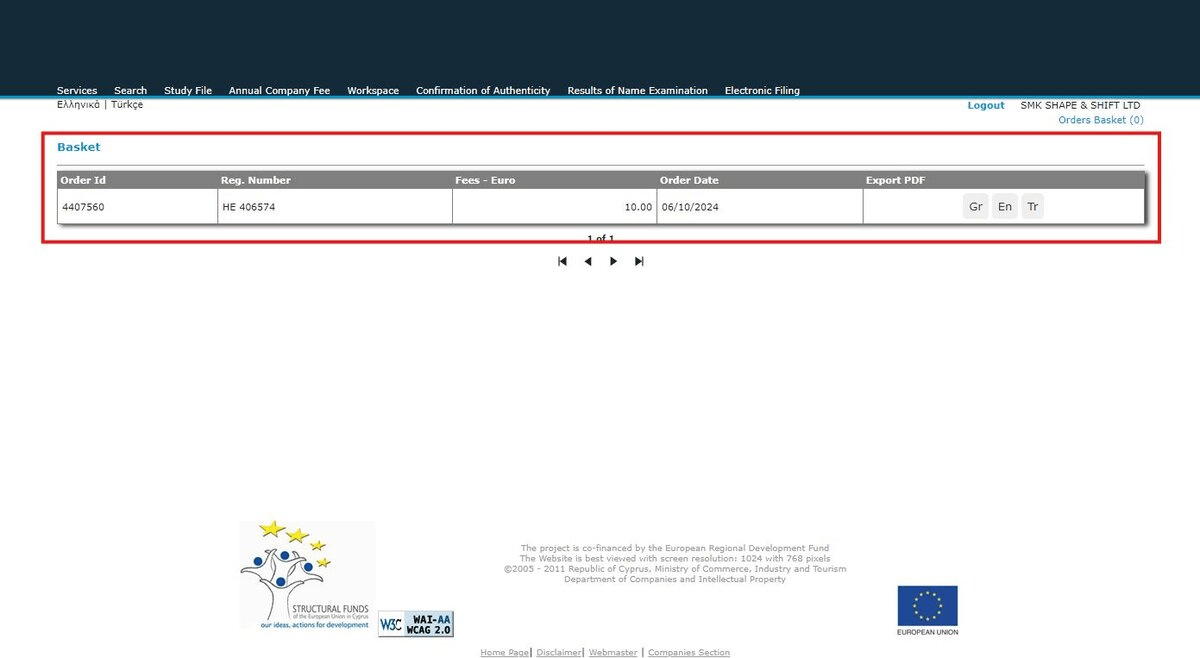
Now that you've paid for the files, you need to go back to the company register page and click Workspace.
Step 12: View the data
Click on the result to access the data.
[!IMPORTANT] You now have access to the company data. You can view the directors, shareholders, audits and more.
Search for a company now
You can start searching for company data directly using the official portal:
Analyze company audits with Cybooks
Once you have the company data, you can use Cybooks to analyze the audits and financial statements. Our Audit Analyzer helps you understand the financial health of any Cyprus company.